One image, more than one identity.
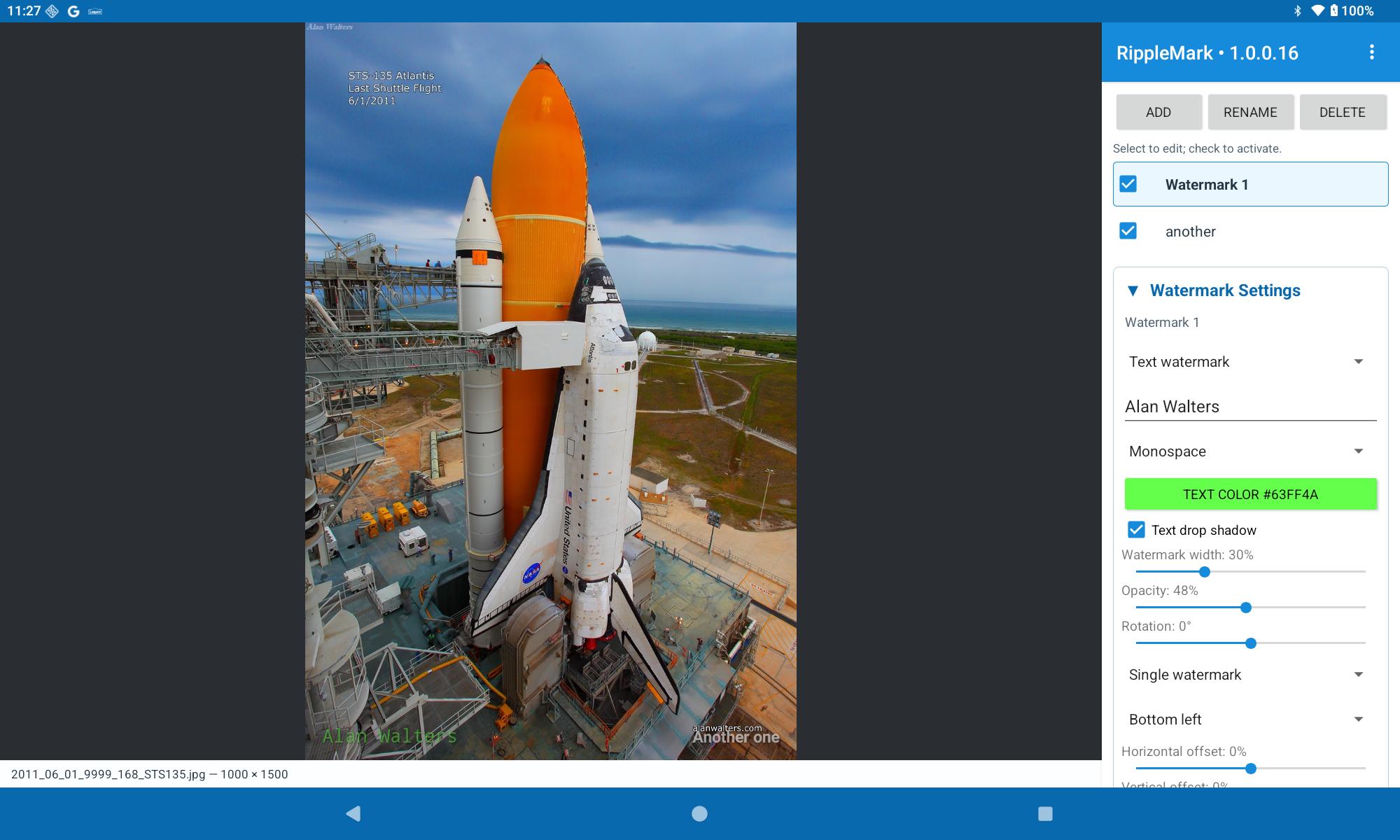
Stack any combination of active text and image watermarks in a controlled order. Tune font, color, opacity, rotation, size, offsets, and placement while the preview updates around your photograph.
RippleMark
Windows + Android
RippleMark gives photographers a fast, visual way to build layered text and image watermarks, see the result immediately, and export one image or an entire folder without touching the original.
Preview downloads: placeholder installers are available while release packages are prepared.
A photographer’s finishing tool
Create a quiet signature, a visible proof mark, a repeating pattern, or a combination of all three. RippleMark remembers your named watermark setups so the next export starts ready.
Stack any combination of active text and image watermarks in a controlled order. Tune font, color, opacity, rotation, size, offsets, and placement while the preview updates around your photograph.
Switch from a single corner mark to a staggered repeating pattern with adjustable spacing.
Keep the original dimensions, scale by percentage, or fit within a width and height. Choose whether the watermark is drawn before or after the resize.
Windows opens common images, professional formats, and camera RAW files including CR2, CR3, DNG, NEF, ARW, RAF, ORF, and RW2. Batch processing carries the same active watermark recipe across selected files or a whole folder.
A simple rhythm
Everything stays visible and reversible until you create the finished copy.
Drag in an image on Windows or choose it with Android’s document picker.
Activate saved watermarks and adjust each one against a live, zoomable preview.
Choose format and size, then export one image or carry the recipe through a batch.
Get RippleMark
The Windows and Android editions share the same core watermark workflow, with controls shaped for mouse, keyboard, and touch.
Desktop editing, broad format support, camera RAW input, and folder-based batches.
Download MSIA touch-first companion for watermarking and batch export on phones and tablets.
Download APK